WINDOWS

Download mRetinaAI for Windows

On-device OCT & FFA decision support, case generation, and offline privacy

Now on Windows. All processing happens locally โ€” no cloud, no patient data upload.

What's inside

mRetinaAI for Windows delivers the same offline, clinic-ready toolkit โ€” optimized for fast chair-time workflows and private, on-device processing.

Case Generator

  • Build structured cases across 20+ macular entities with guided fields and ready-to-share assessments.
  • Generate succinct plans you can adjust in seconds and manage patients efficiently.

OCT Classifier

  • On-device prediction focused on outcomes to support triage and planning.
  • Condition-level performance: DME 69.8%, RVO 73.5%, AMD 80.8%, VMA 91.2%, Pachychoroid 81.5%, HRD 64.7%.

FFA Classifier

  • Offline angiography support with up to 87% overall accuracy.
  • Examples: DR 74.2%, RVO 84.0%, AMD 94.3%, CSCR 90.9%.
Onโ€‘device Offline Clinicโ€‘ready No cloud

๐ŸชŸ How to Install & Activate

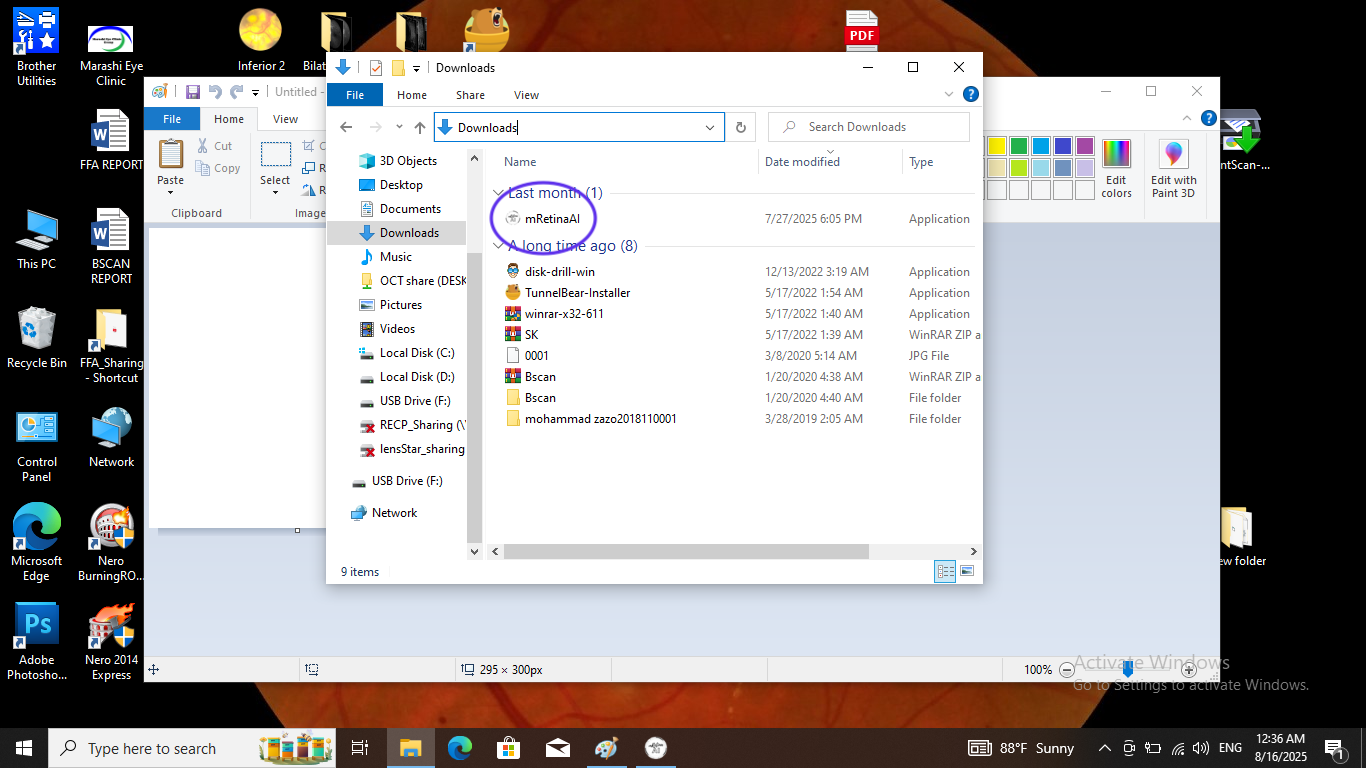
  1. Download the installer. Save mRetinaAI-Setup.exe to your Downloads folder.
  2. Run the installer. Double-click mRetinaAI-Setup.exe in Downloads.
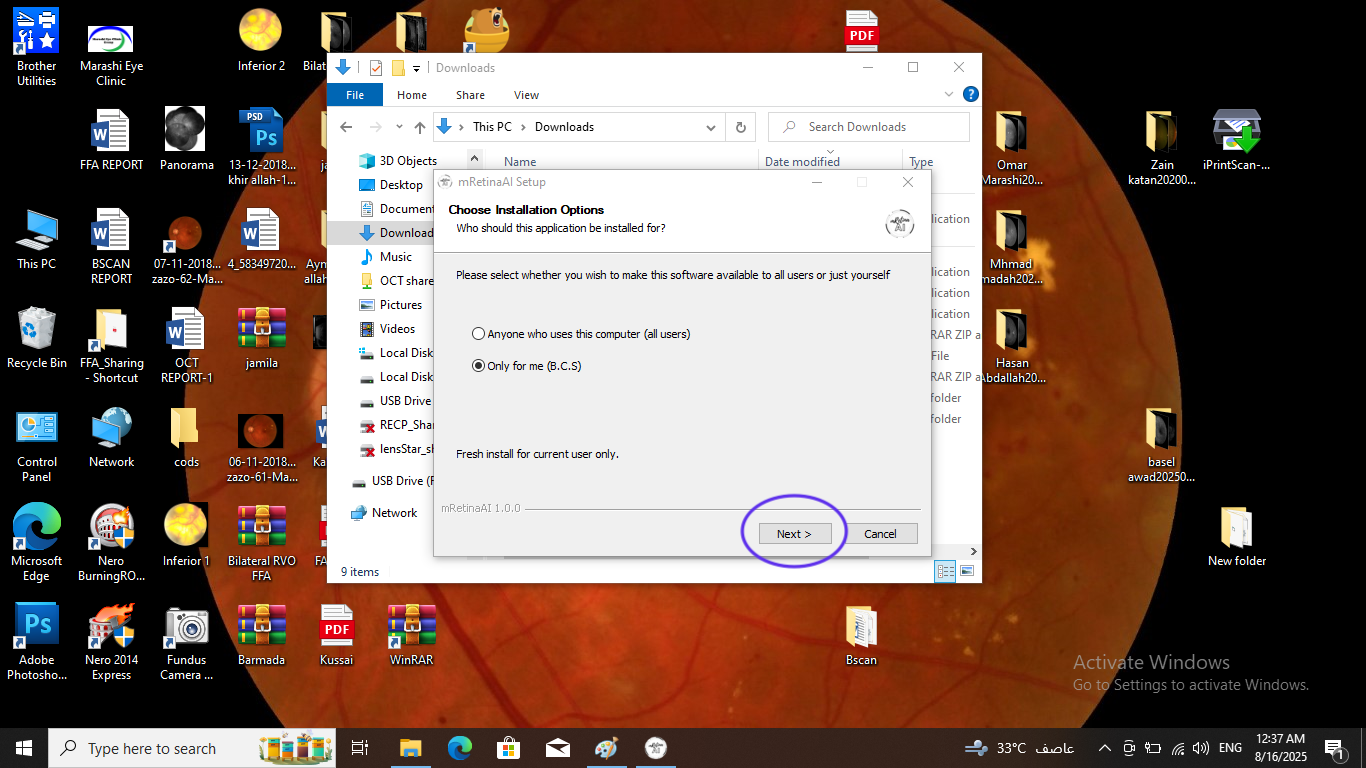
  3. Choose installation scope. Select Only for me (recommended) or Anyone who uses this computer, then click Next.
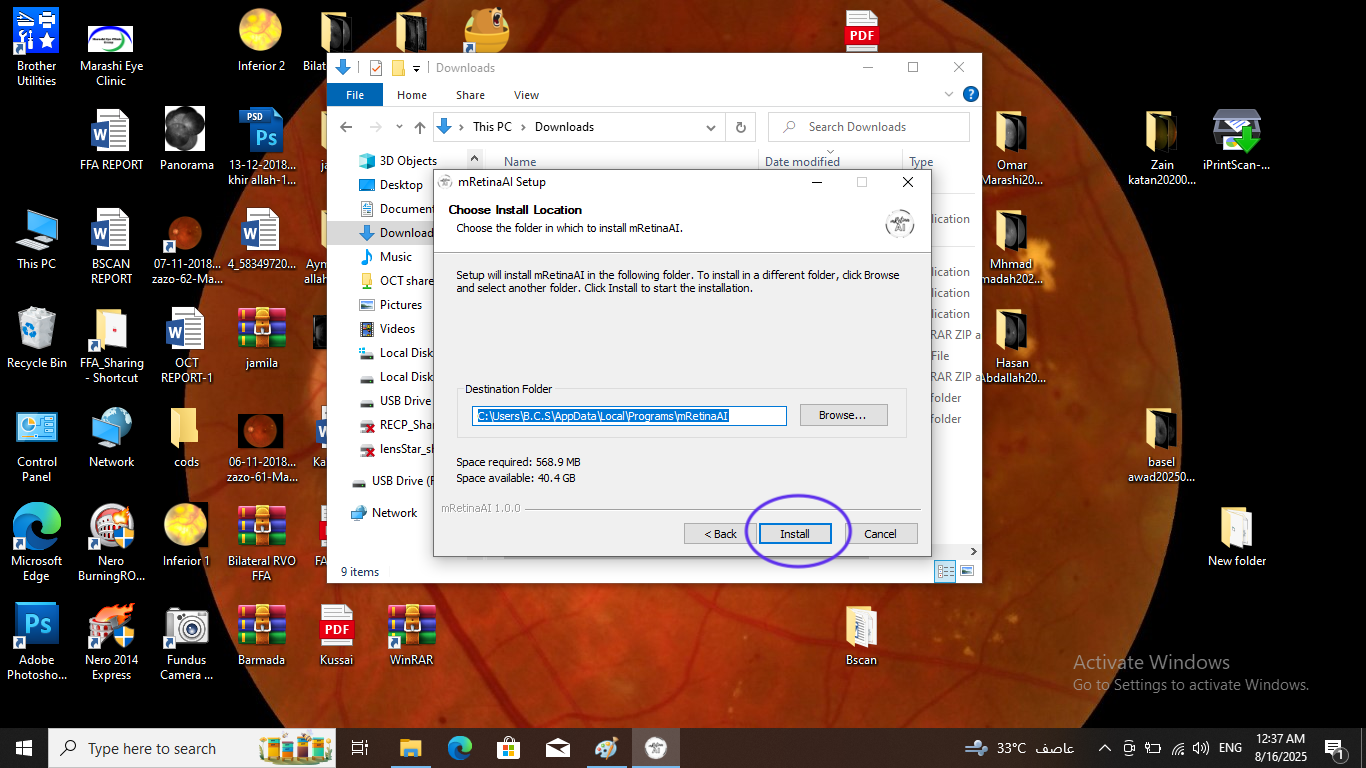
  4. Choose install location. Accept the default path (e.g., C:\Users\<You>\AppData\Local\Programs\mRetinaAI) and click Install.
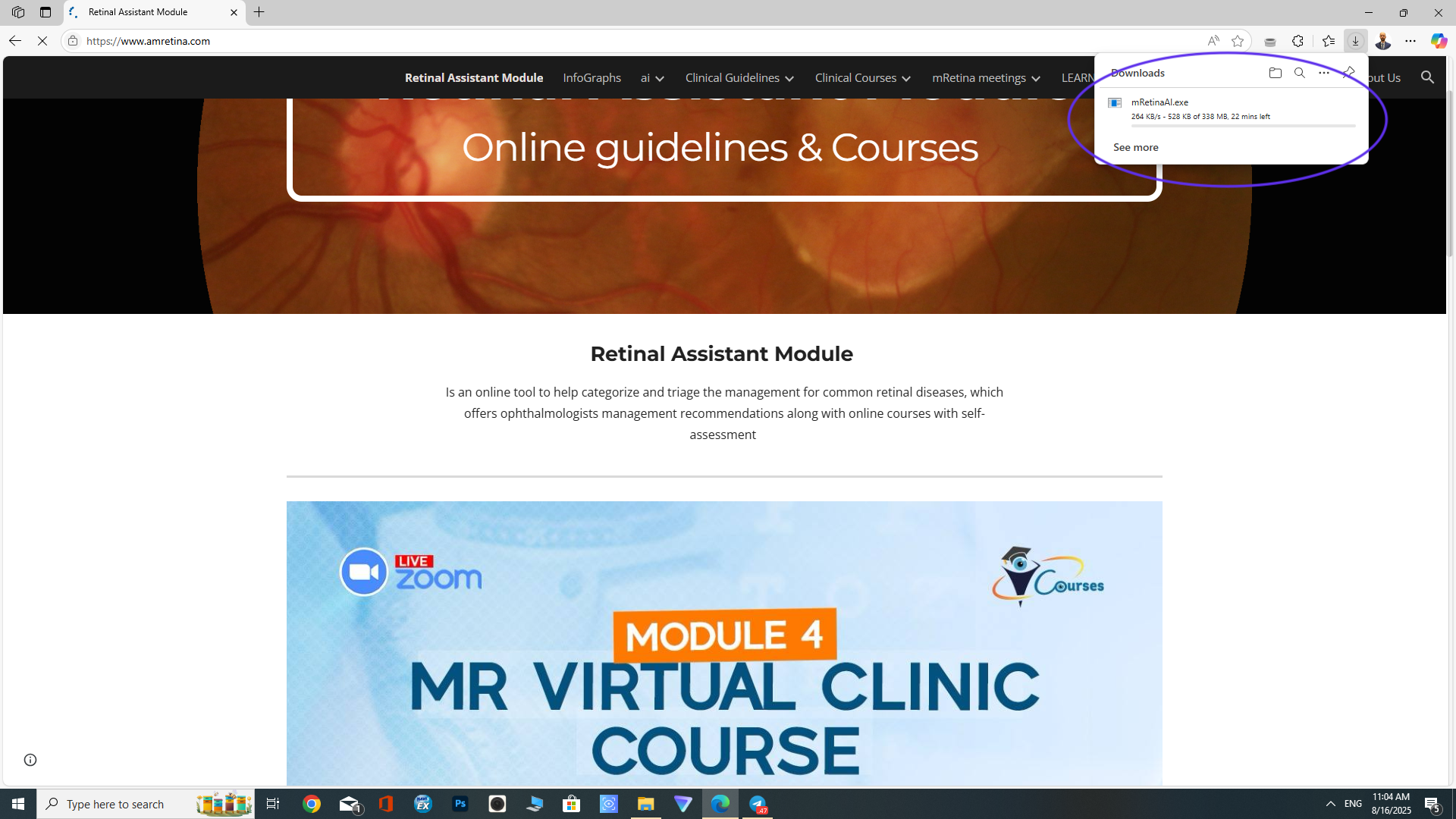
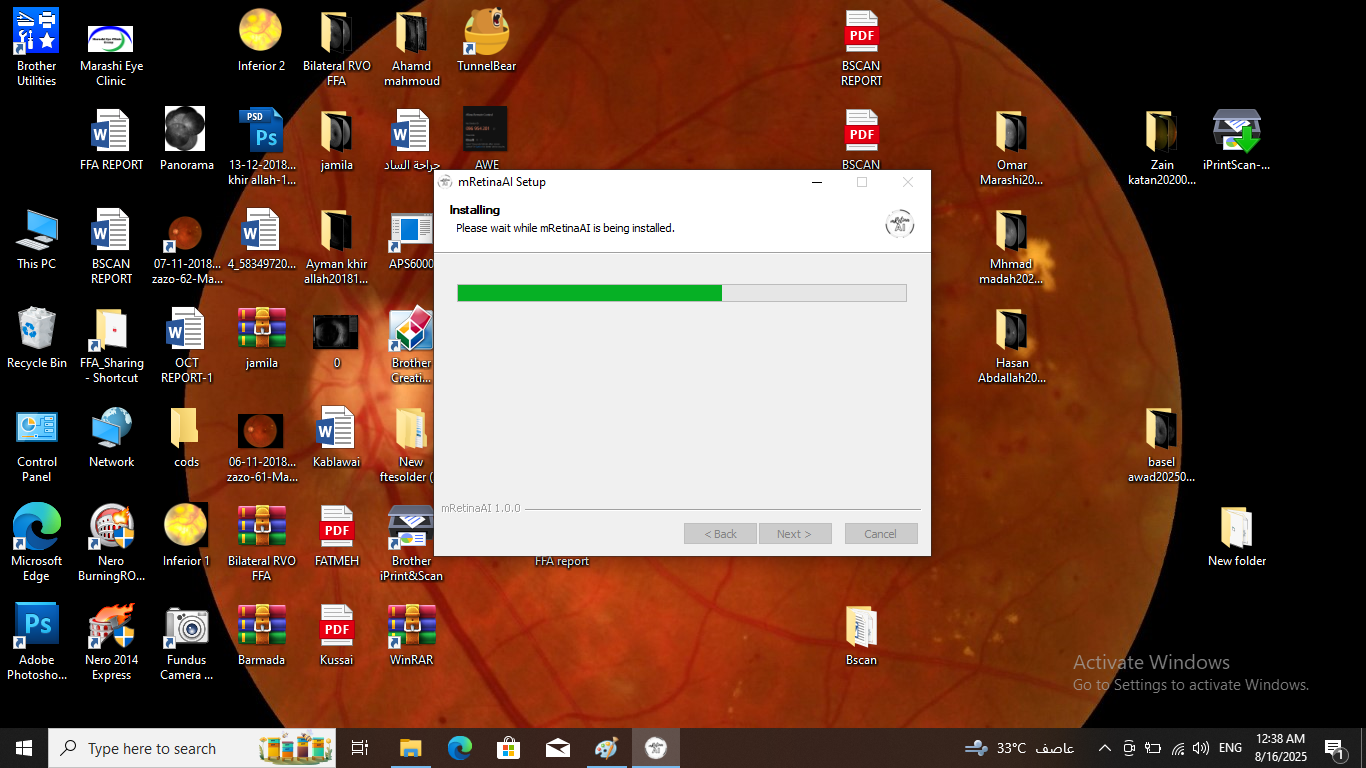
  5. Wait for installation. The progress bar shows mRetinaAI being installed.
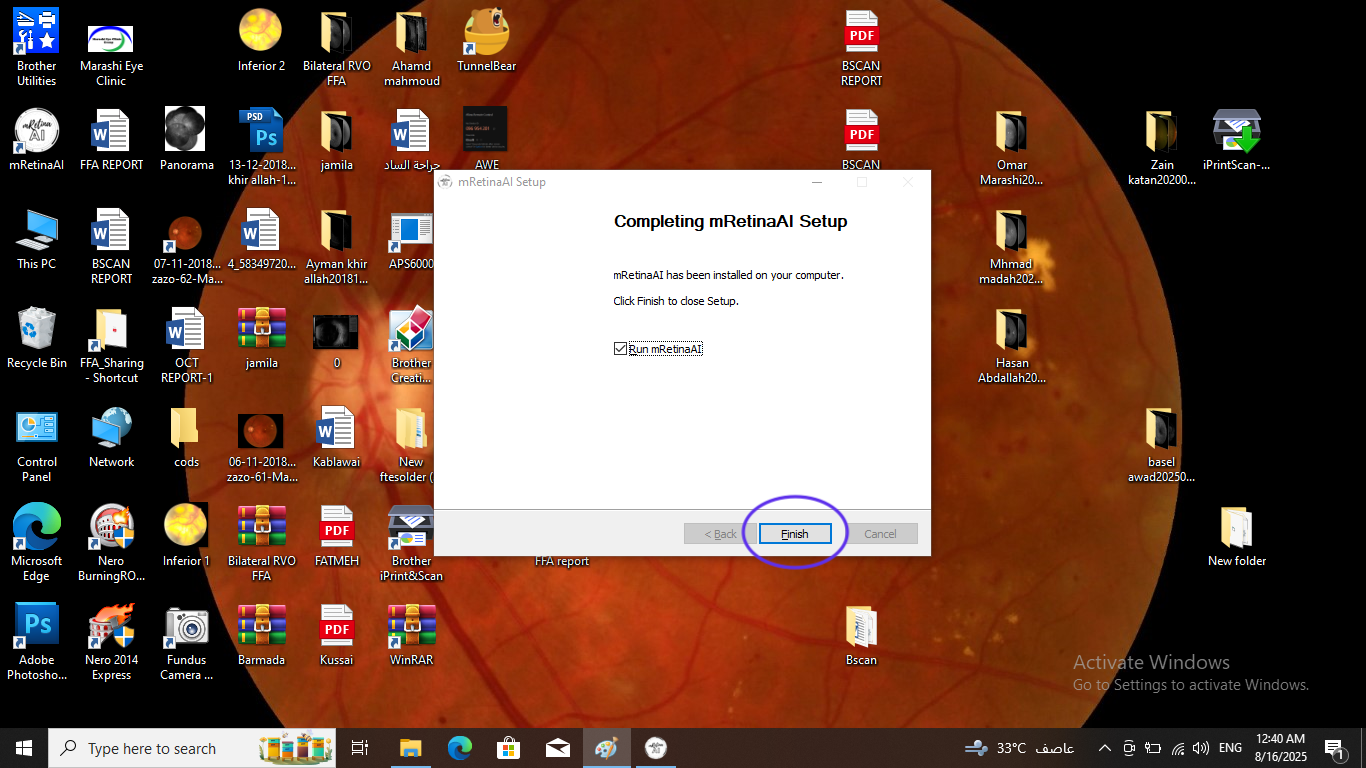
  6. Finish setup. Keep Run mRetinaAI checked and click Finish.
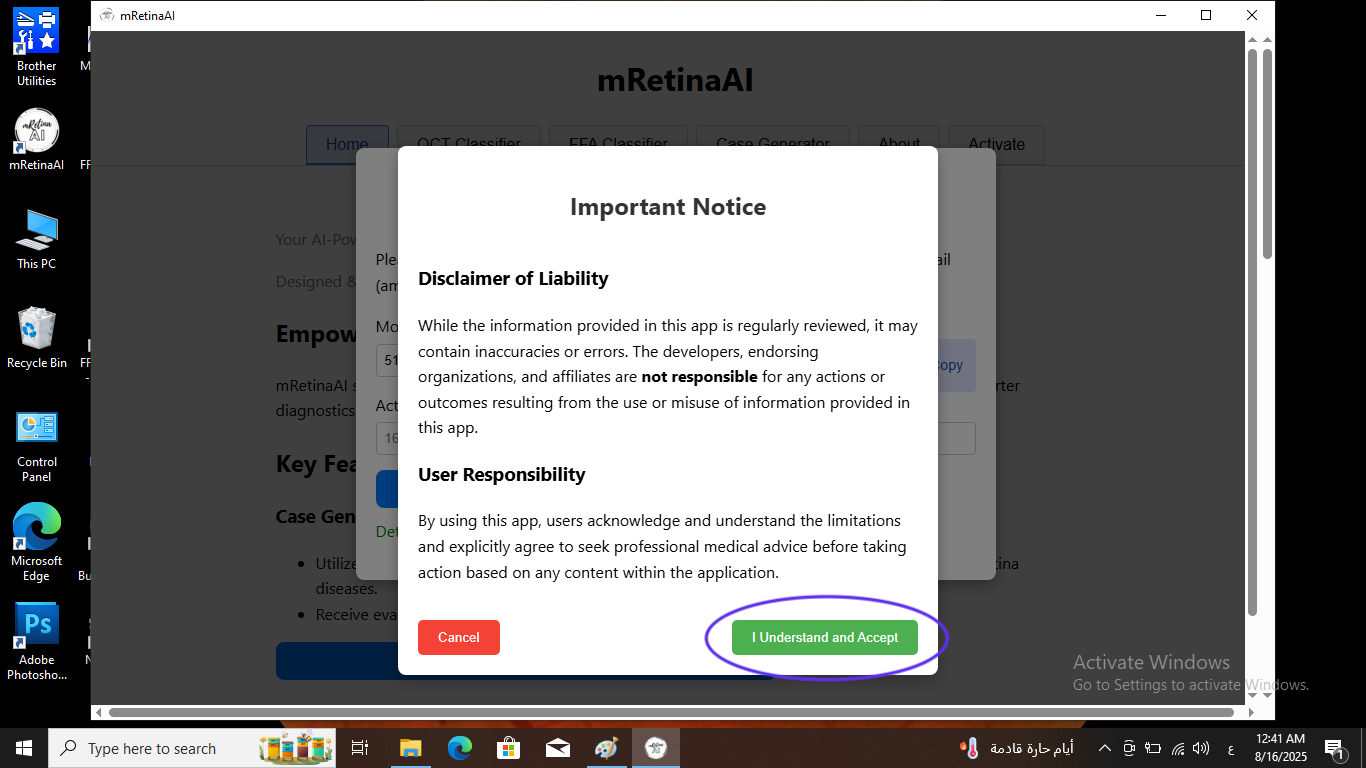
  7. Accept the Important Notice. In the app, click I Understand and Accept.
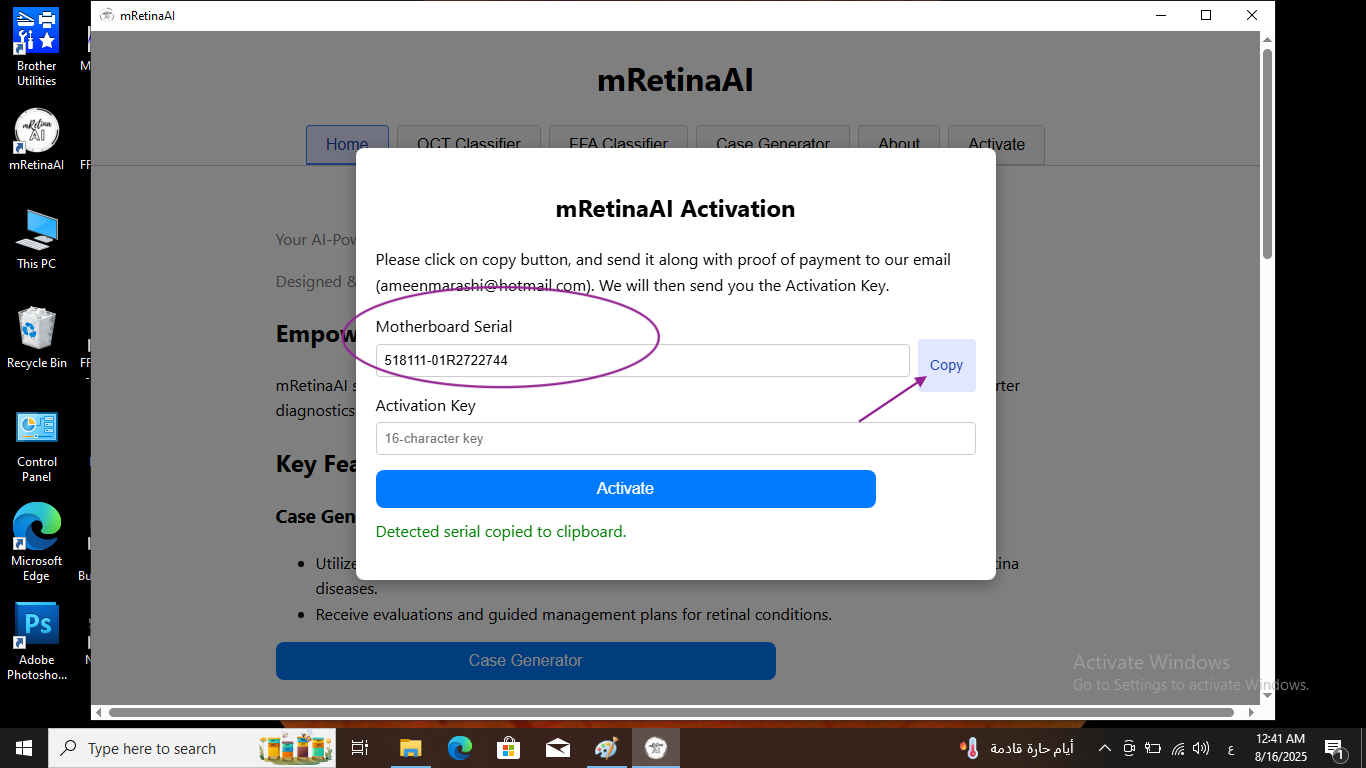
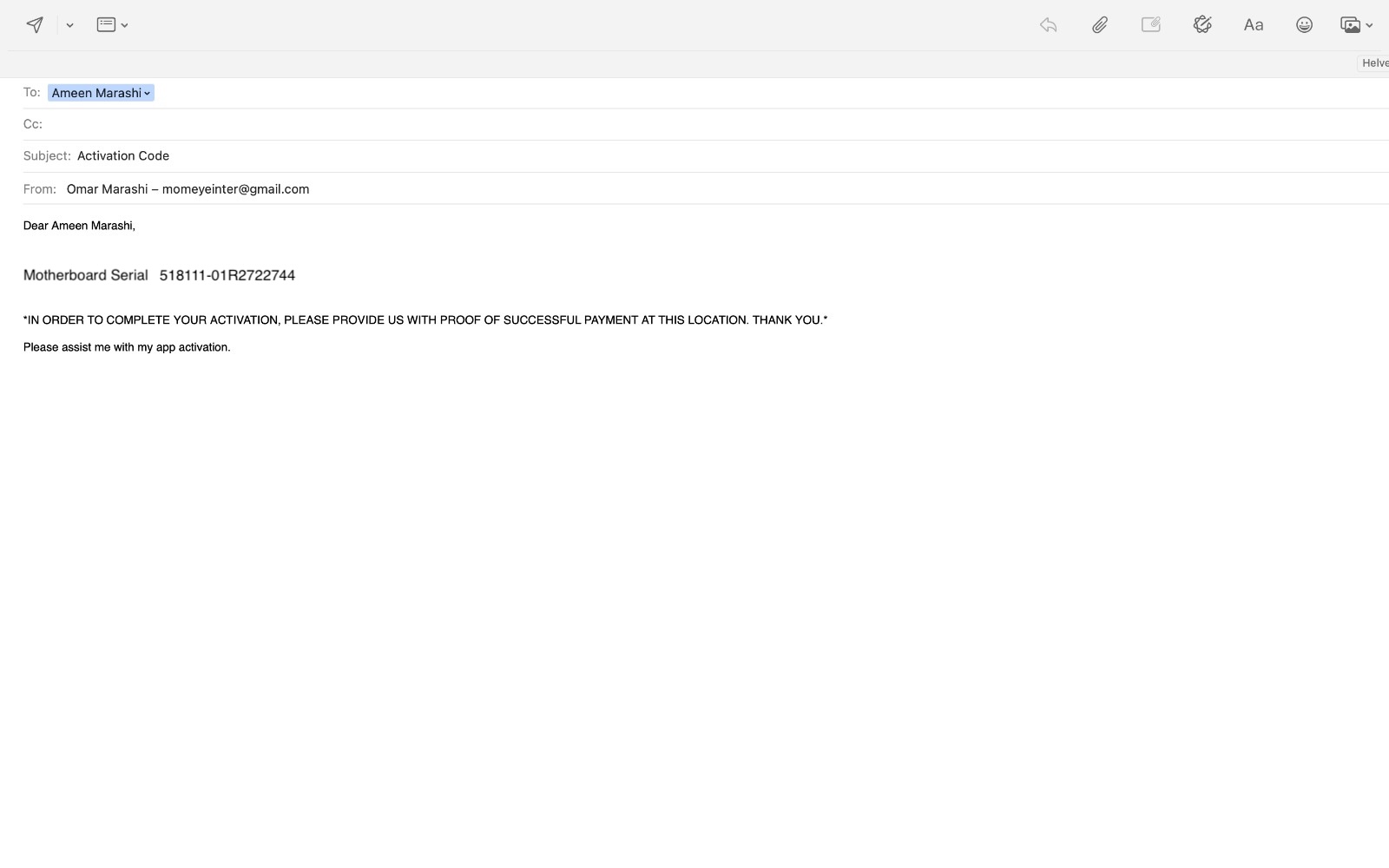
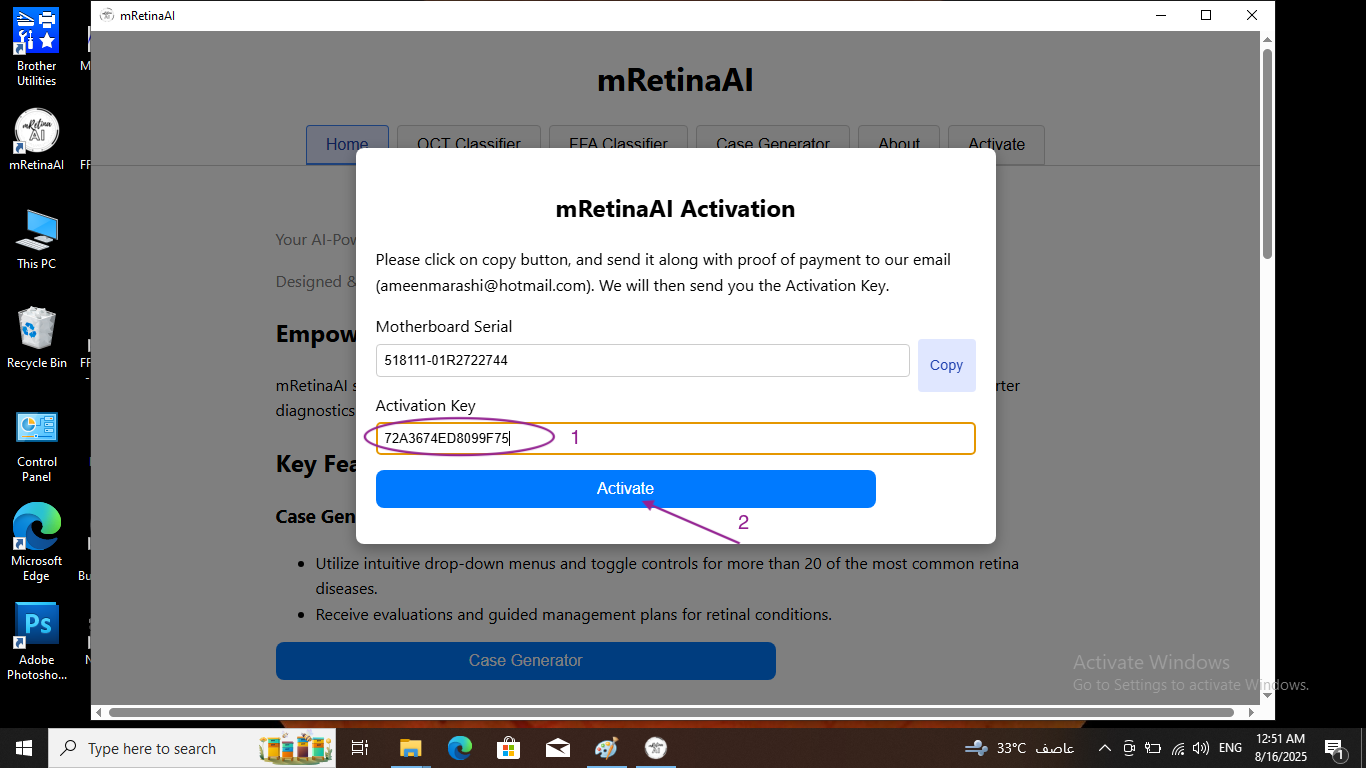
  8. Copy your Device ID. Open Activate โ†’ click Copy next to Motherboard Serial.
  9. Email Device ID + proof of payment. Send to ameenmarashi@hotmail.com with your Device ID and PayPal receipt/screenshot.
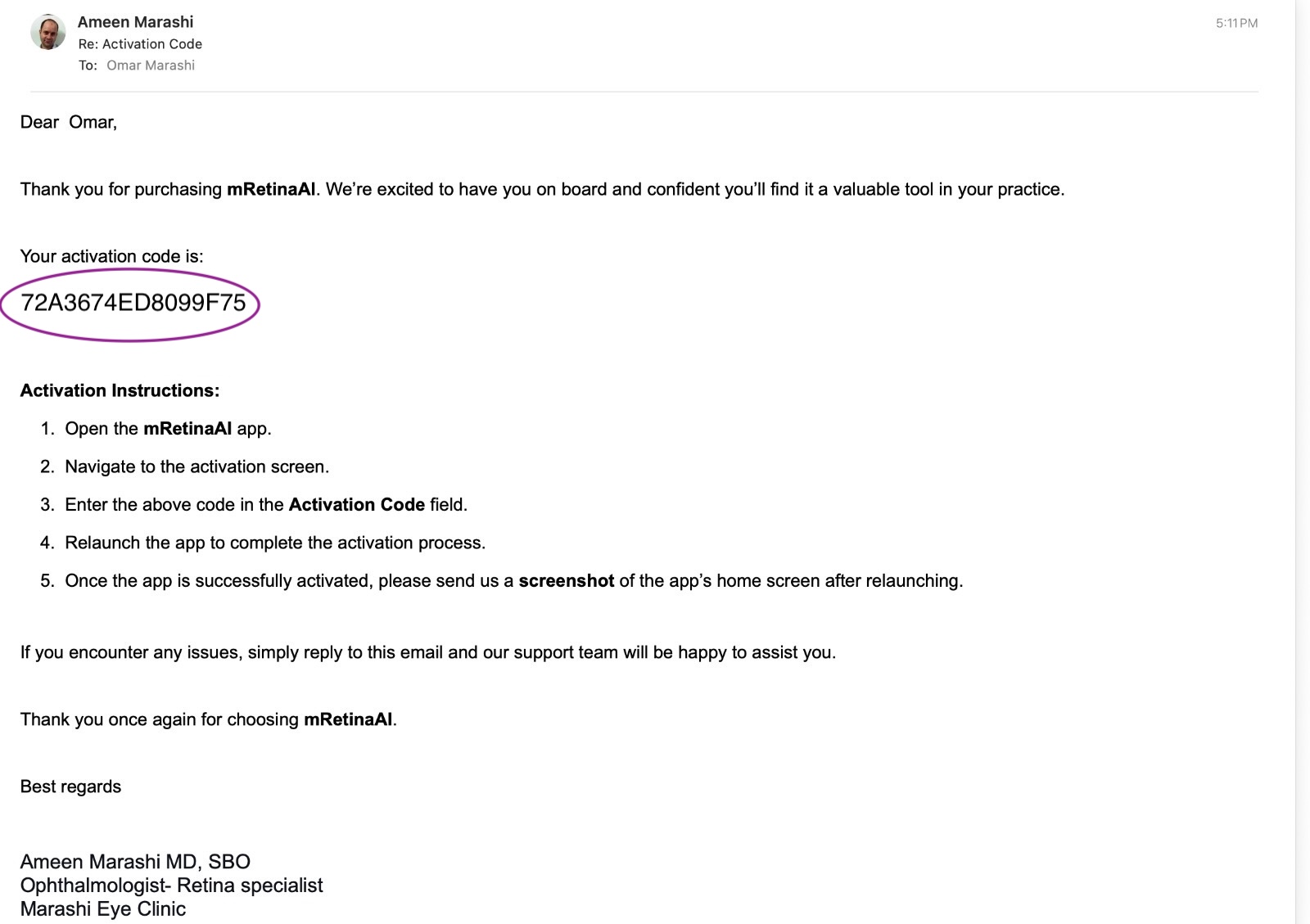
  10. Receive the Activation Code. You'll get an email containing your unique code.
  11. Activate. Paste the code into Activation Key and click Activate.
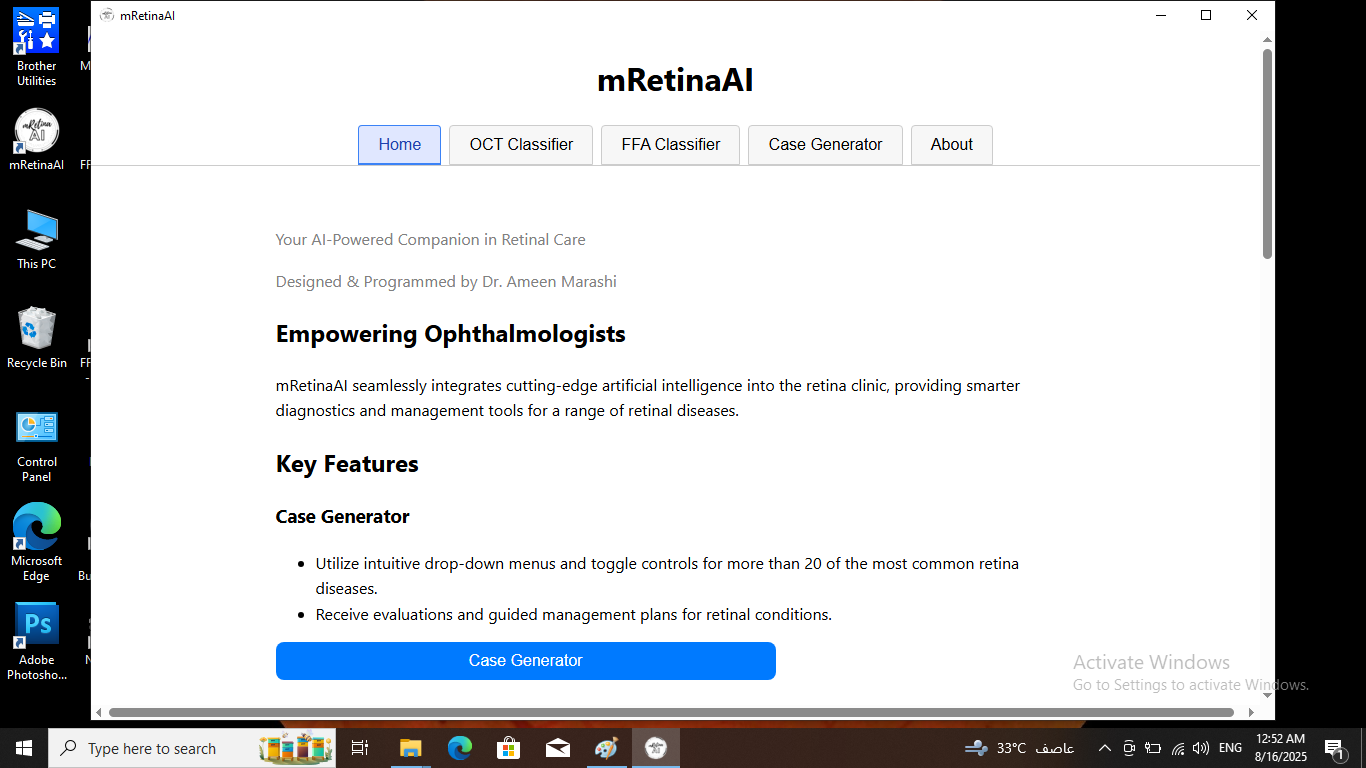
  12. Verify. Relaunch the app and confirm the Home screen appears. Optionally send a screenshot to confirm activation.

๐Ÿ“‹ Requirements

  • Windows 10 or 11, 64-bit
  • Minimum 4 GB RAM (8 GB+ recommended)
  • 64-bit CPU; adequate free storage for local images/cases

โš ๏ธ Important

  • Offline by design: no cloud processing โ€” data stays on your PC
  • Single-device license: tied to your Motherboard Serial (Device ID)
  • No refunds after activation (see License & Refund Disclaimer)

๐Ÿ› ๏ธ Troubleshooting & FAQ

The installer didn't start

Right-click the installer and choose Run as administrator. If SmartScreen appears, click More info โ†’ Run anyway.

Activation didn't work

Ensure the Activation Key was pasted exactly as sent. Licenses are bound to your Motherboard Serial โ€” if your Device ID changed after a hardware reset/replace, you'll need a new license.

Performance tips

Close heavy apps, keep sufficient free disk space, and use a 64-bit machine with 8 GB+ RAM for best inference speed.

Ready to install?

Download the Windows app, review the privacy policy, or purchase a license to activate on your device.

Elevate Your Practice

Beyond clinical tools, master retina with video courses, digital textbooks, and clinical manuscripts.